Features
Everything Tactile History delivers in the classroom, in one place.
A worked example: the Louisiana Purchase
The four screens below are what a student and teacher actually see when they explore the 1803 Louisiana Purchase — from the touch on the map to the primary sources behind every claim.
1 • TOUCH
Tactile map interaction
Pinch, pan, and circle on a 4K classroom panel. Here a student traces the boundary of the Louisiana Territory — Mississippi River on the east, Rocky Mountains on the west, Gulf to 49th parallel — and taps Early 19th century as the period.
Switch between live Google Maps and curated historical basemaps without leaving the lesson.
2 • LEARN
Vision-grounded lessons
A multimodal Claude model sees the exact map snapshot the class sees and writes a lesson keyed to that region and period. In this case: the treaty signed by Livingston and Monroe in Paris on April 30, 1803, for $15 million.
Your API keys stay on our backend. You only manage licenses.
3 • CHECK
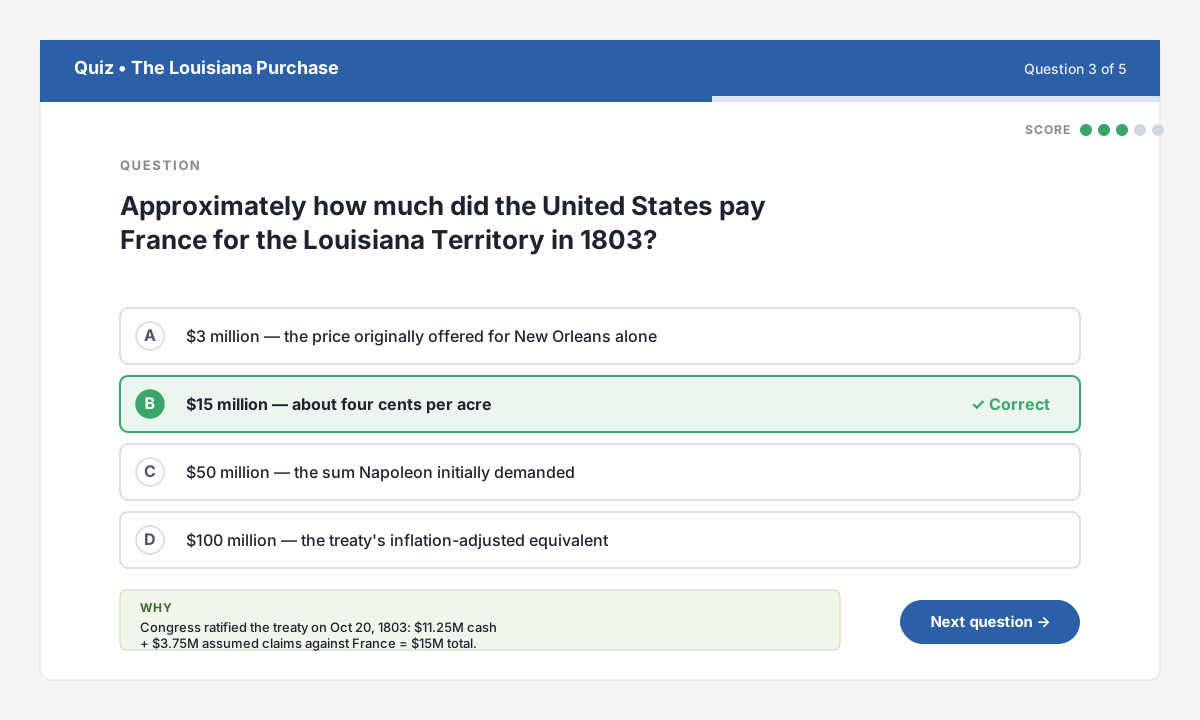
Instant five-question quizzes
Generate multiple-choice questions from any lesson with one tap. Students tap to answer; the app shows the right answer with a short “why” citation drawn from the lesson text.
Great for whole-class check-ins or exit tickets at the end of a period.
4 • VERIFY
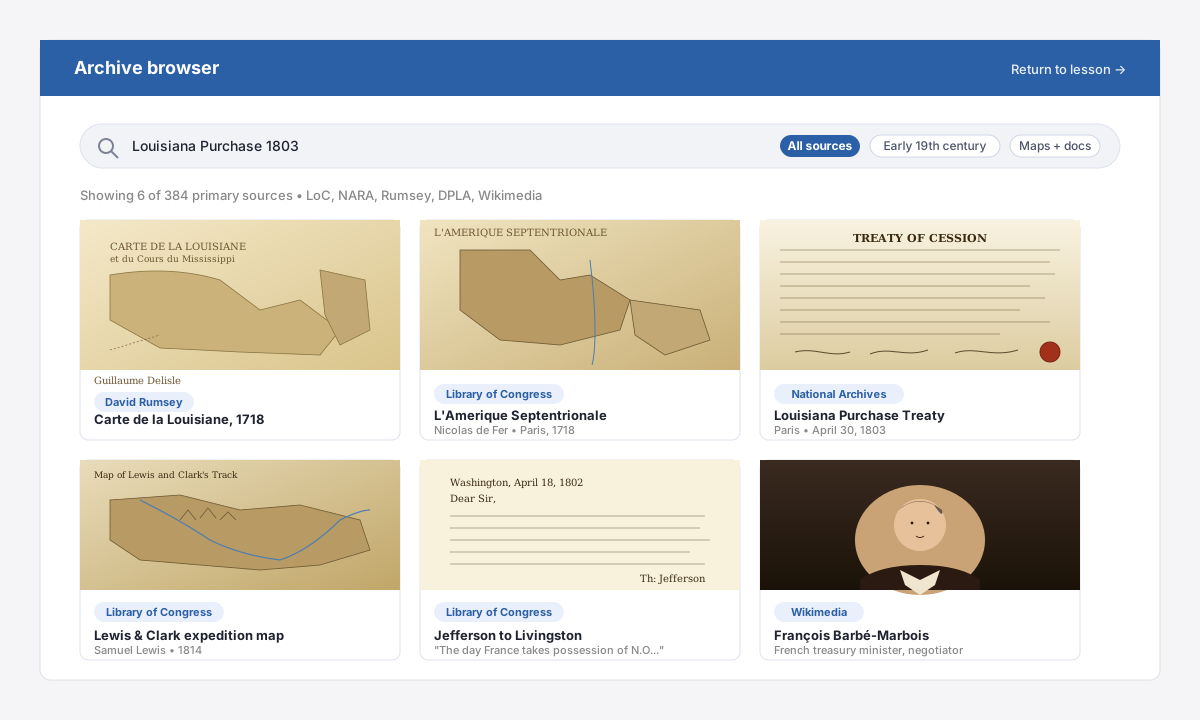
Real archives, one tap away
Every cited source is one tap away: Delisle’s 1718 Carte de la Louisiane, the 1803 treaty from the National Archives, Lewis and Clark’s 1814 expedition map, and Jefferson’s letter warning that “the day France takes possession of N.O.…” — all zoomable at archival resolution.
Students verify claims for themselves — the hallmark of source-based history instruction.
District-grade license management
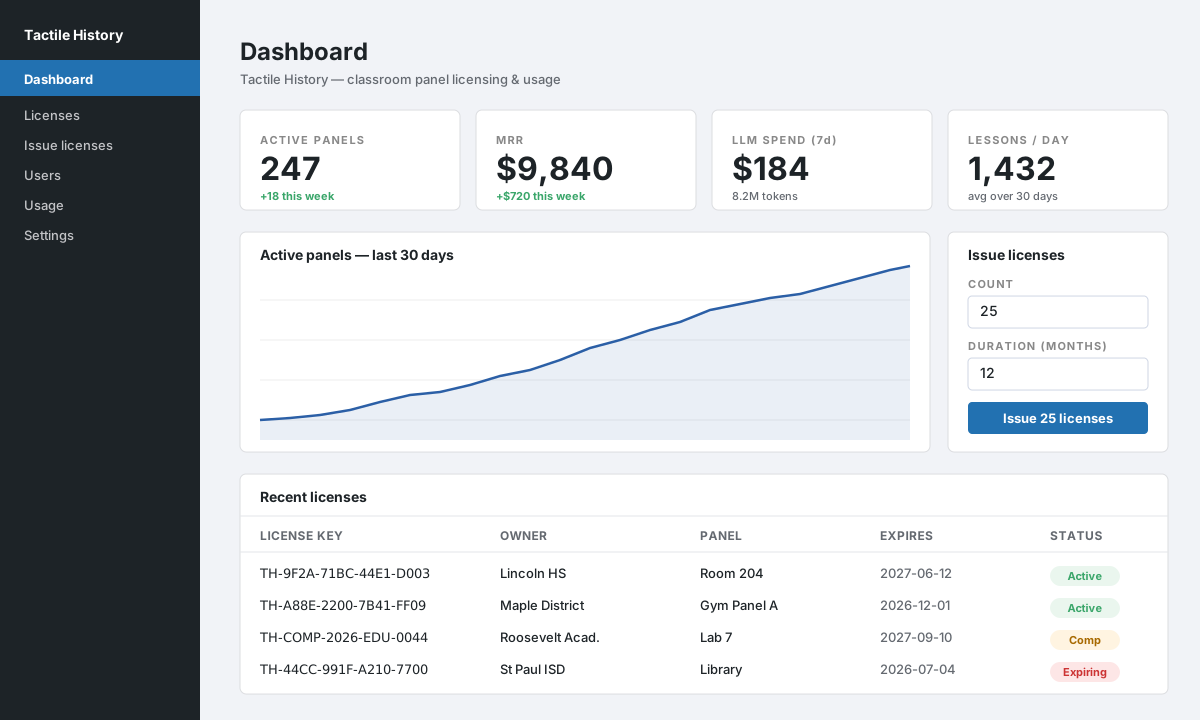
Issue, release, revoke, and extend licenses from a single dashboard. Bulk-issue any number of licenses for any duration; release a license to move a panel to a new room in one click.
See active panels, MRR, and weekly LLM spend at a glance.
Selectable time periods
Pick from canonical periods or specify a custom range. The model is prompted to stay inside that window.
No student PII
The app stores device IDs and usage counters only — no names, no photos of children, no audio.